

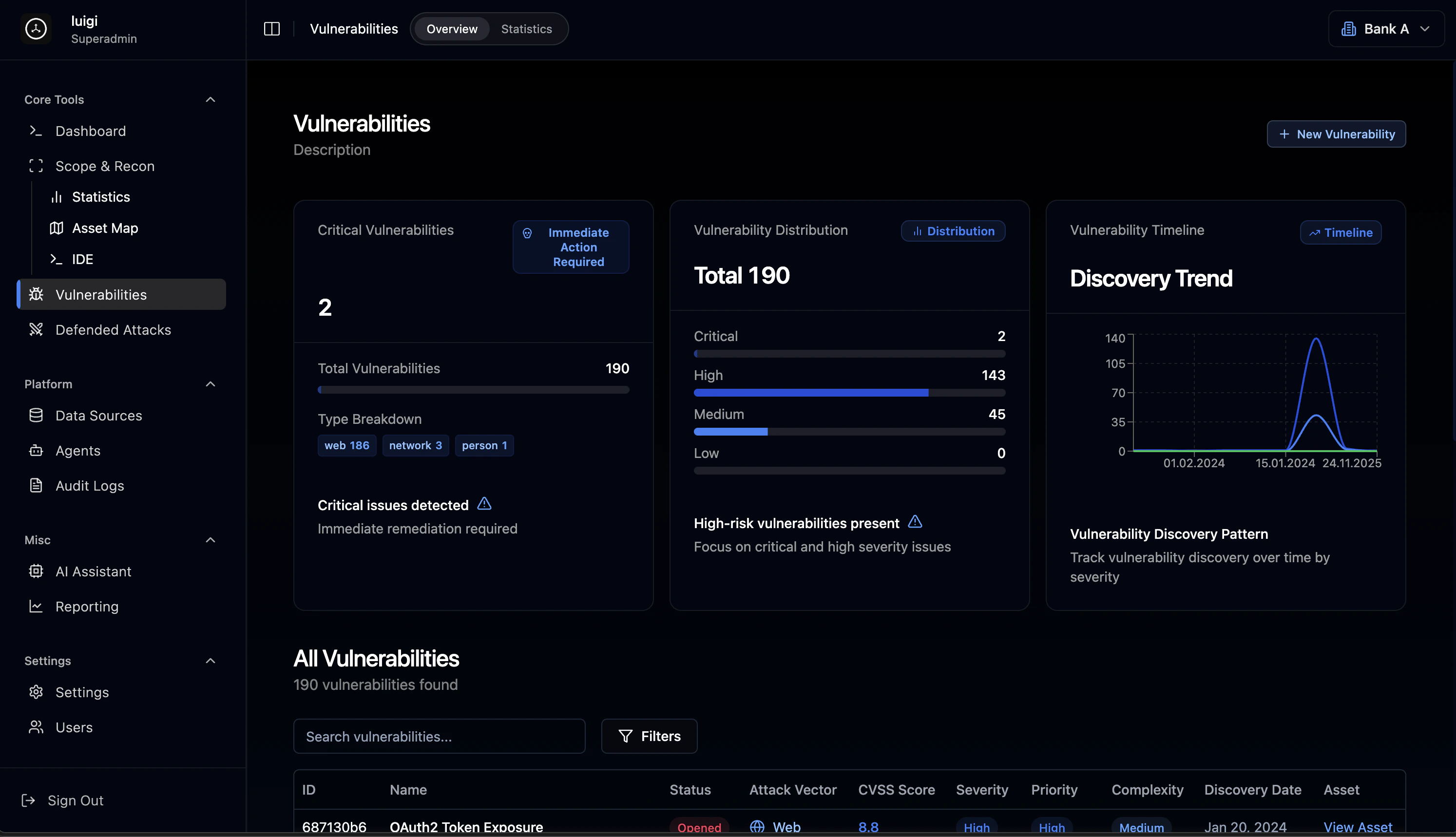
Overview Dashboard
The vulnerability overview provides immediate visibility into your security posture with critical alerts and severity distribution.Critical Alert System
When critical vulnerabilities are detected, the platform displays prominent alerts requiring immediate attention:- Critical findings flag with warning indicators
- Action status: “Immediate action required” notifications
- Priority queue for critical remediation
Severity Distribution
All vulnerabilities are categorized by severity level: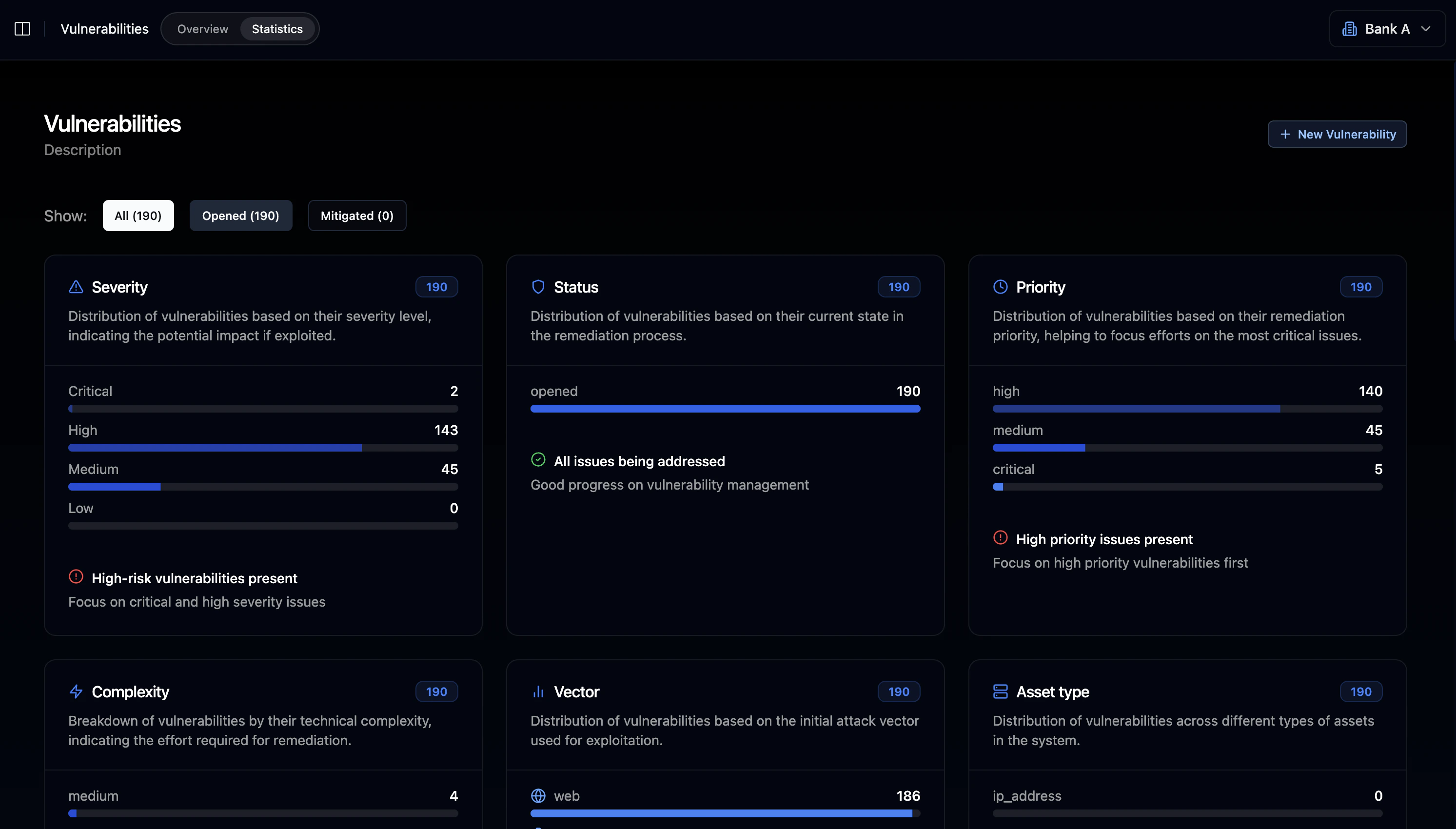
Vulnerability Type Breakdown
Findings are classified by attack vector:Web Vulnerabilities
Application-layer security issues including injection flaws, authentication bypasses, and misconfigurations
Network Vulnerabilities
Infrastructure-level issues including exposed services, protocol weaknesses, and network misconfigurations
Personnel/Social
Human-factor vulnerabilities including phishing susceptibility and access control issues
Vulnerability Table
The main vulnerability table displays all findings with comprehensive filtering and search capabilities.Table Columns
Common Vulnerability Types
Injection & SSRF
Injection & SSRF
- SSRF in File Processor (CVSS 7.5)
- SQL Injection vulnerabilities
- Command injection flaws
Infrastructure
Infrastructure
- Kafka Unauthenticated Access (CVSS 9.1)
- Redis Unprotected Instance (CVSS 8.3)
- Unencrypted Telnet Service (CVSS 7.5)
Information Disclosure
Information Disclosure
- Exposed .git/ directories
- Accessible .env files
- Database file exposure
- Configuration file leakage
Search & Filtering
- Full-text search across all vulnerability fields
- Advanced filters for severity, status, vector, date range
- Pagination with configurable rows per page
- Bulk selection for batch operations
Vulnerability Detail View
Clicking on any vulnerability opens a comprehensive detail view with three tabs.Overview Tab
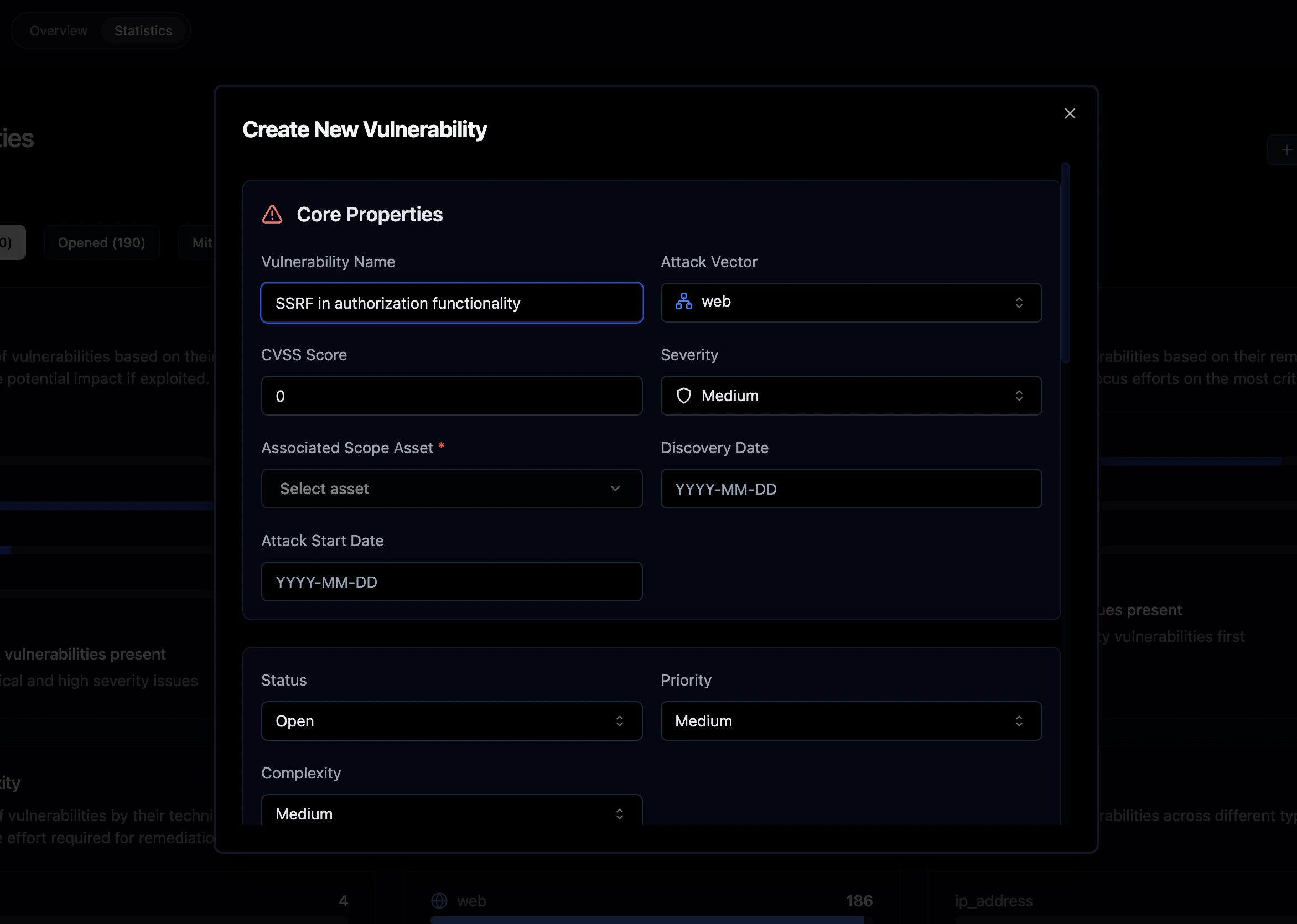
- Attack vector type with visual icon (Web/Network/Person)
- Severity badge with color coding
- CVSS Score prominently displayed
- Linked asset (port, service, or endpoint)
- Current status with visual indicator
- Priority level assignment
- Complexity assessment
- Discovery date
- Edit: Modify vulnerability details
- Delete: Remove vulnerability record
Affected Components
Lists all systems and components impacted by the vulnerability:Description & Reproduction Steps
Detailed vulnerability information including:- Technical description of the vulnerability
- Step-by-step reproduction guide:
- Authenticate with valid credentials
- Make API request to vulnerable endpoint
- Observe the security issue in response
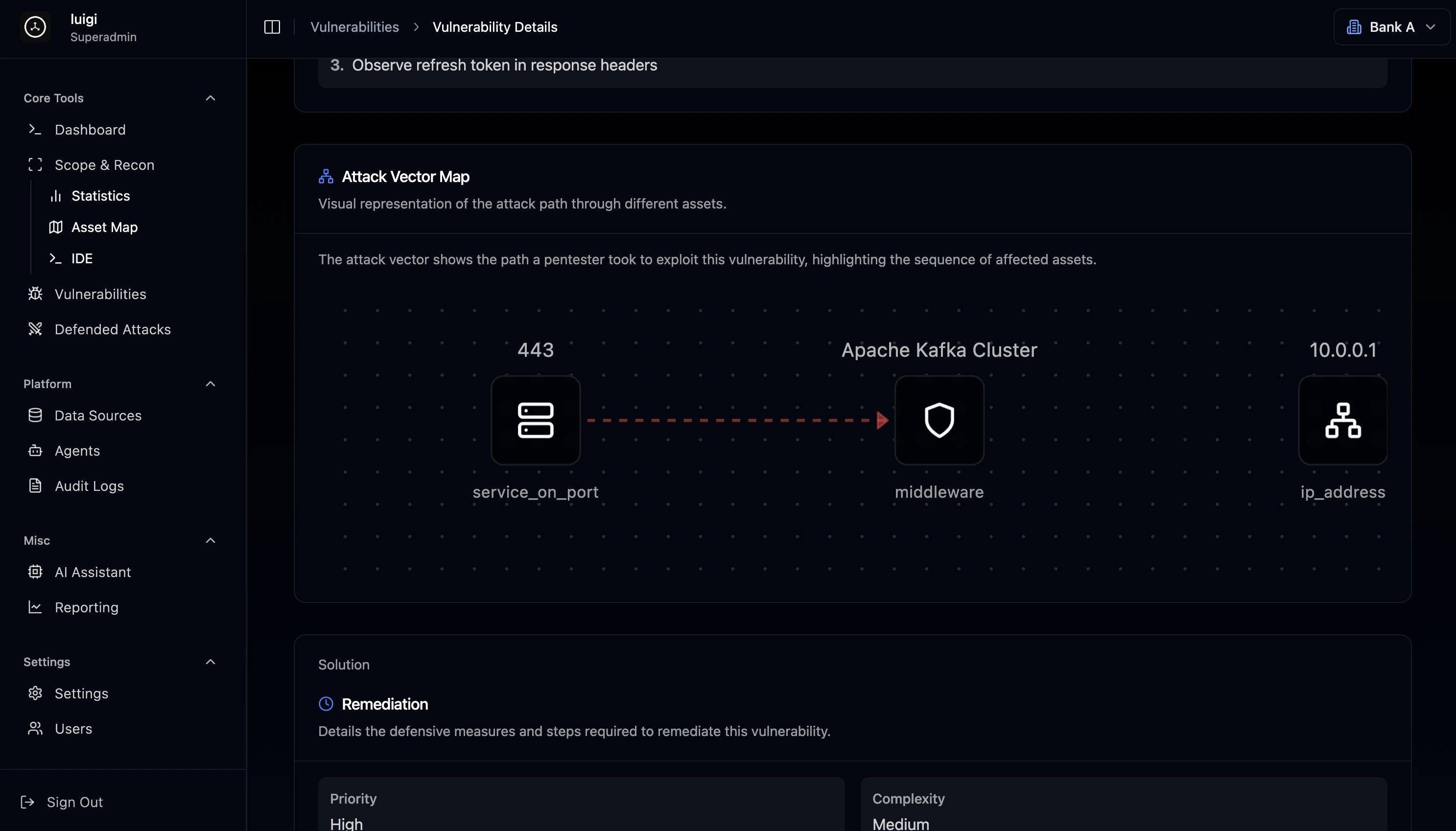
Attack Vector Map
Visual network graph showing the exploitation path:- Nodes: Assets involved in the attack chain
- Edges: Relationships and connections
- Interactive: Click nodes to explore asset details
443 (service) → Apache Kafka Cluster → 10.0.0.1 (target)
Remediation Section
- Priority: Critical / High / Medium / Low
- Complexity: Low / Medium / High
1
Immediate Mitigation
Apply temporary controls to reduce risk
2
Root Cause Fix
Implement the permanent solution
3
Verification
Confirm the fix and update status
Vulnerability Management Workflow
Discovery Phase
Automated Scanning
Continuous vulnerability detection via agents
Manual Import
Import findings from external tools and data sources
Penetration Testing
Results from manual security assessments
Threat Intelligence
Integration with threat intelligence feeds
Analysis Phase
- CVSS scoring assignment based on impact and exploitability
- Severity classification using industry standards
- Attack vector categorization (Web, Network, Person)
- Asset correlation linking findings to infrastructure
- Impact assessment evaluating business risk
Tracking Phase
Timeline Analytics
The vulnerability timeline visualization shows:- Historical discovery patterns over time
- Severity breakdown by date for trend analysis
- Peak periods when most vulnerabilities were found
- Date picker for custom temporal range selection
Best Practices
Prioritization StrategyFocus remediation efforts based on:
- Severity - Critical and High first
- Exploitability - Easily exploitable vulnerabilities take priority
- Asset criticality - Vulnerabilities on business-critical systems
- Complexity - Quick wins (low complexity) can reduce overall risk rapidly
Integration with Other Modules
The Vulnerabilities module connects seamlessly with other platform components:- Pentesting: Vulnerabilities link to discovered assets
- Agents: Automated scanning populates findings
- Reporting: Findings flow into assessment reports
- AI Assistant: Get remediation recommendations and analysis