> ## Documentation Index
> Fetch the complete documentation index at: https://docs-cerberus.c7-security.com/llms.txt
> Use this file to discover all available pages before exploring further.
# Reporting
> Review your security posture and generate a report document.
# Reporting
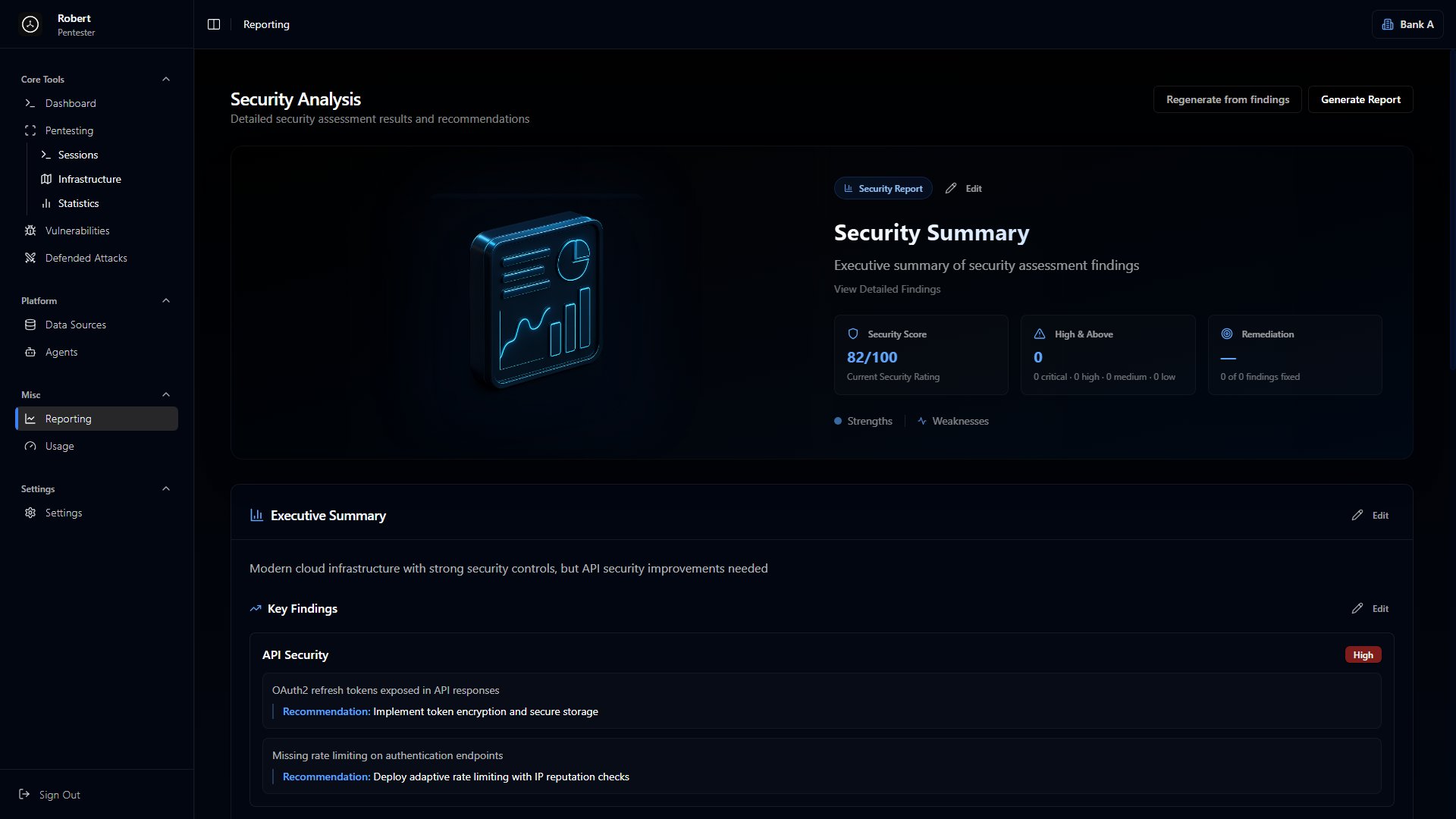
The Reporting page turns your findings into a shareable report. It has two parts: the **Security Analysis** summary and the **report document** you generate from it.
## Security Analysis
A summary of the namespace's security posture, built from your current findings: a security score, an executive summary, key findings with recommendations, and strengths and weaknesses. Every field is editable, and **Regenerate from findings** rebuilds it from scratch.
 ## Generating a report
Click **Generate Report** in the top-right to open the generator. It produces a document covering the findings in this namespace.
## Generating a report
Click **Generate Report** in the top-right to open the generator. It produces a document covering the findings in this namespace.
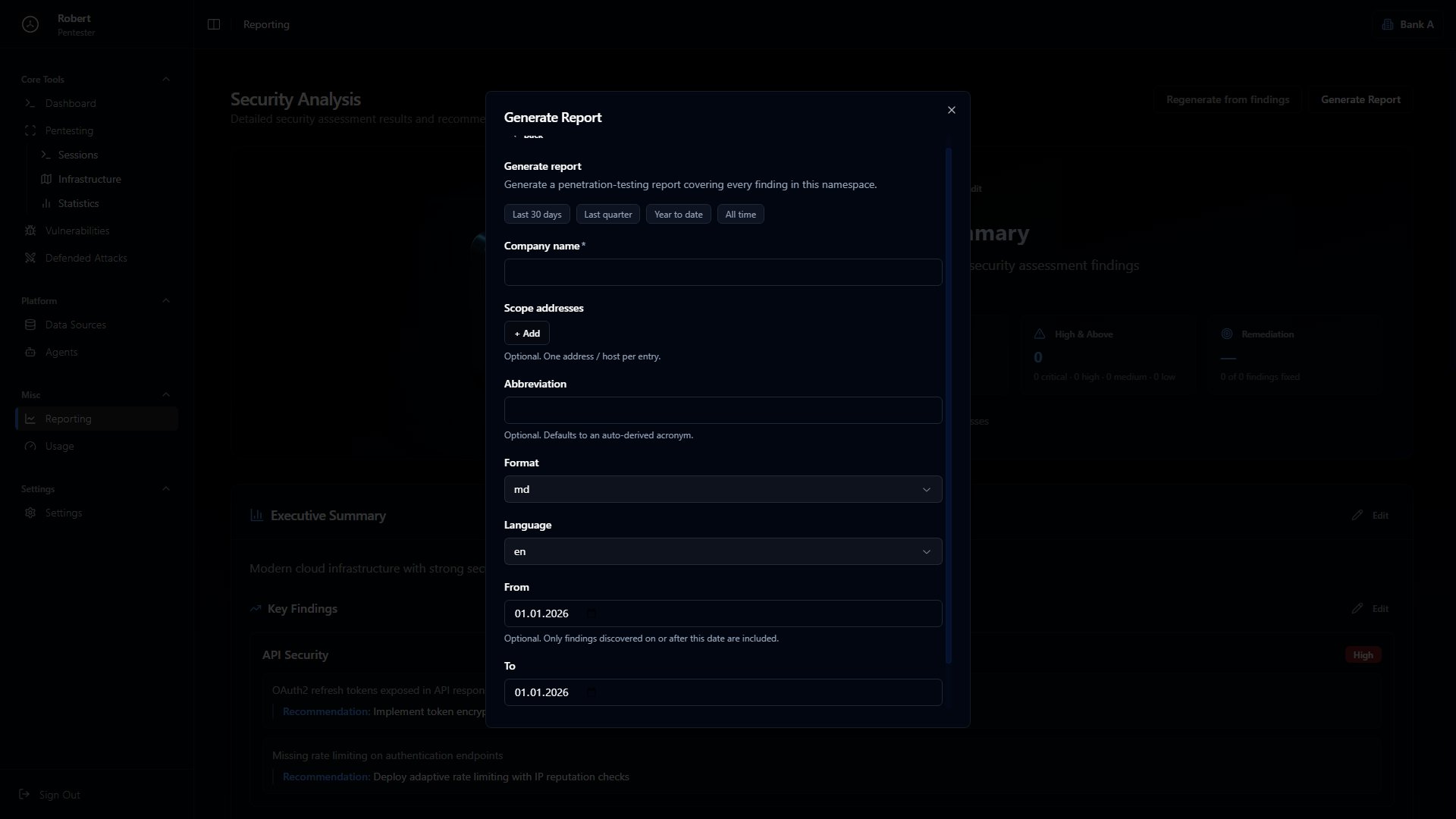 Set the options:
* **Date range** - which findings to include (last 30 days, last quarter, year to date, or all time)
* **Company name** - shown on the report
* **Scope addresses** - optional; one address or host per entry
* **Abbreviation** - optional; defaults to an auto-derived acronym
* **Format** - `md` or `docx`
* **Language** - `en` or `ru`
* **From / To** - optional date filter for when findings were discovered
Then run the generation. When it finishes, download the report.
Set the options:
* **Date range** - which findings to include (last 30 days, last quarter, year to date, or all time)
* **Company name** - shown on the report
* **Scope addresses** - optional; one address or host per entry
* **Abbreviation** - optional; defaults to an auto-derived acronym
* **Format** - `md` or `docx`
* **Language** - `en` or `ru`
* **From / To** - optional date filter for when findings were discovered
Then run the generation. When it finishes, download the report.