> ## Documentation Index
> Fetch the complete documentation index at: https://docs-cerberus.c7-security.com/llms.txt
> Use this file to discover all available pages before exploring further.
# C7 Cerberus
> An offensive security platform that makes security assessments 10x faster. From reconnaissance to reporting in a single ecosystem.
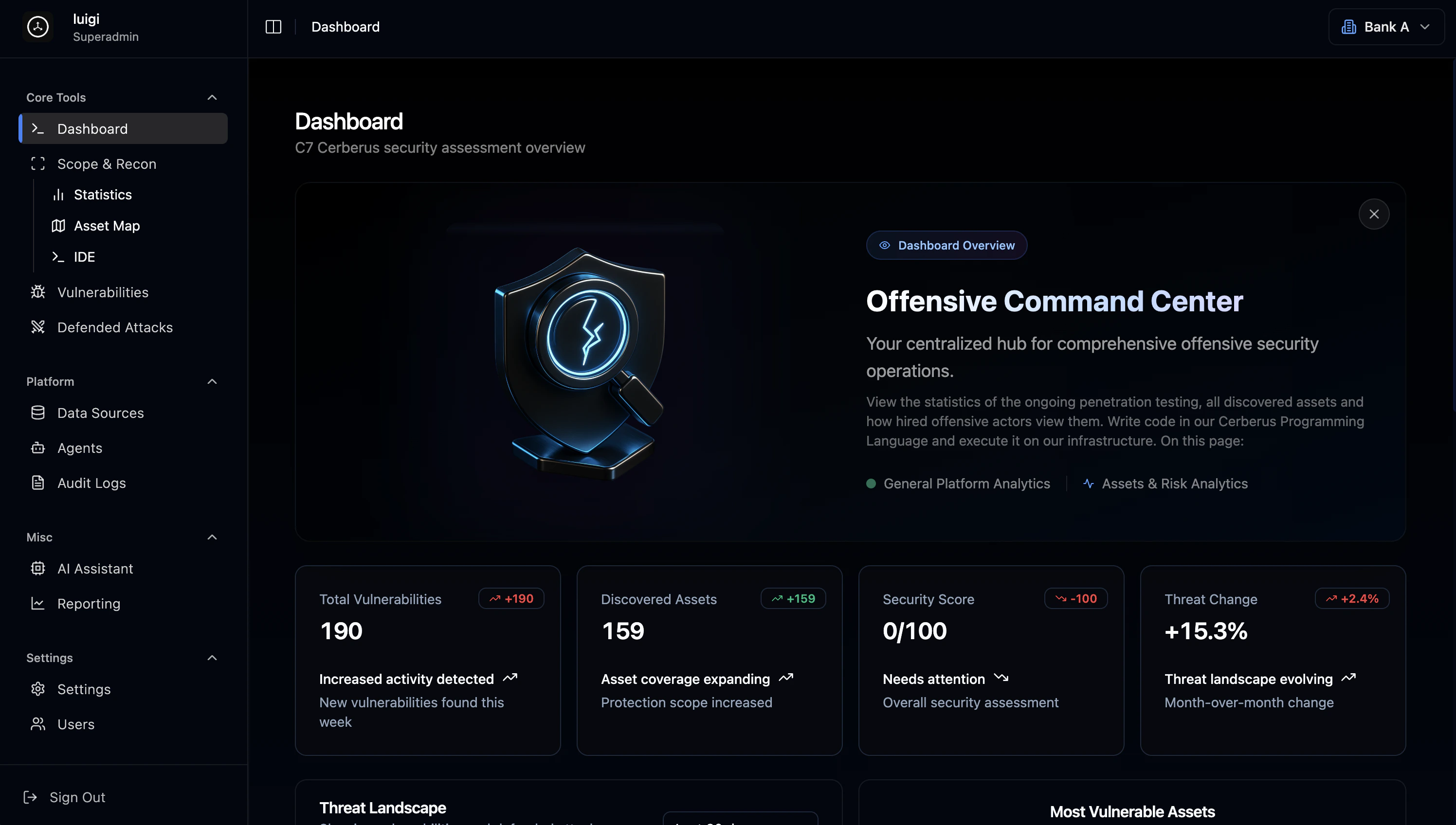 Cerberus is an offensive security platform for security professionals of all levels - from penetration testers and ethical hackers to enterprise security teams and organizations without dedicated security staff. It combines a custom programming language, a visual workspace, and AI automation into a single ecosystem that can make penetration testing 10x, 20x, or even 100x faster and more effective. Users can handle everything from reconnaissance to reporting without requiring deep technical expertise.
## Core Components
### Cerberus Language
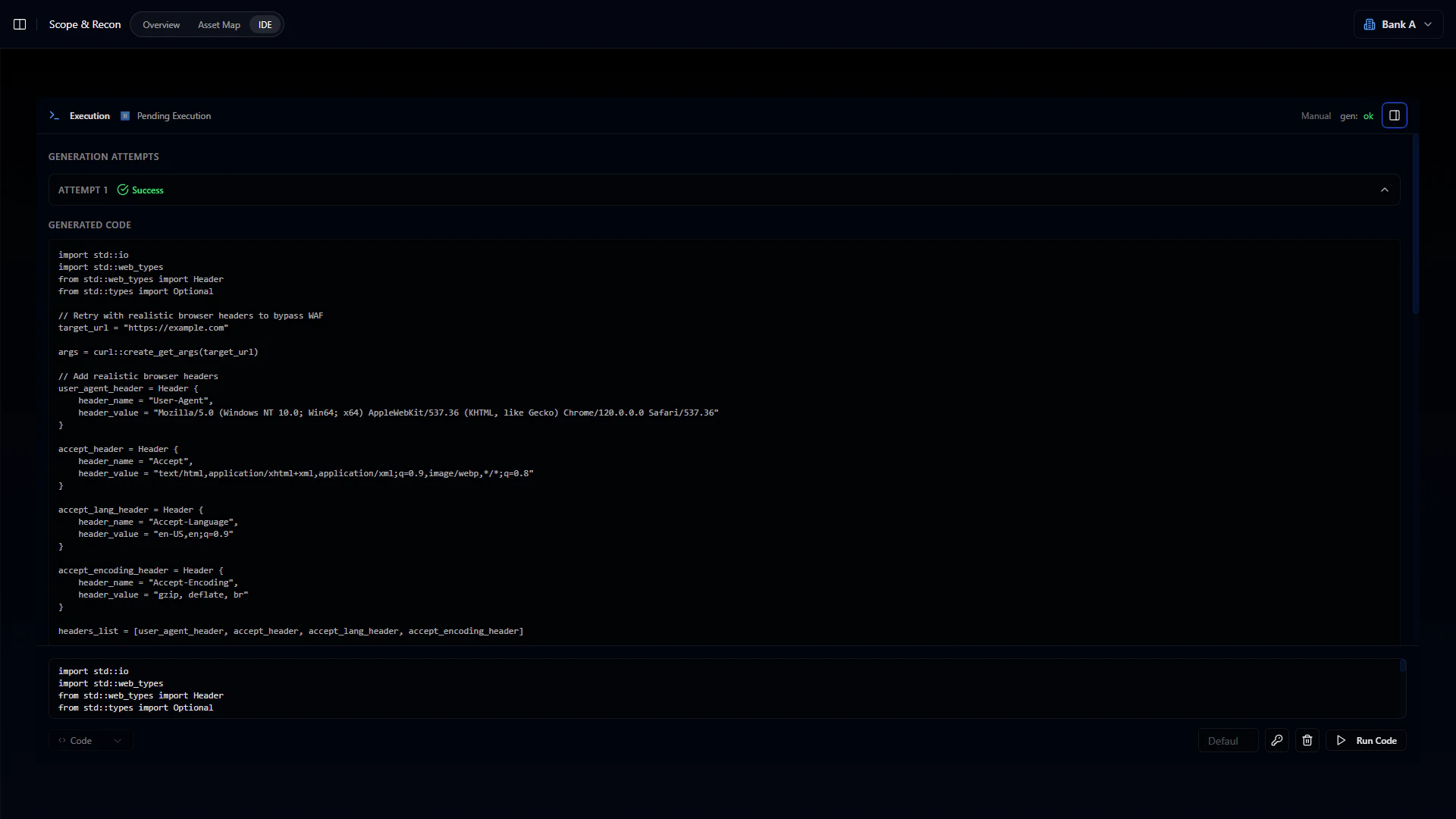
A statically-typed programming language purpose-built for pentesting. Unlike general-purpose scripting, Cerberus uses an effects system that enforces scope boundaries at compile time. Code that tries to operate outside the defined assessment scope won't execute - this isn't just a warning, the code literally won't run.
Cerberus is an offensive security platform for security professionals of all levels - from penetration testers and ethical hackers to enterprise security teams and organizations without dedicated security staff. It combines a custom programming language, a visual workspace, and AI automation into a single ecosystem that can make penetration testing 10x, 20x, or even 100x faster and more effective. Users can handle everything from reconnaissance to reporting without requiring deep technical expertise.
## Core Components
### Cerberus Language
A statically-typed programming language purpose-built for pentesting. Unlike general-purpose scripting, Cerberus uses an effects system that enforces scope boundaries at compile time. Code that tries to operate outside the defined assessment scope won't execute - this isn't just a warning, the code literally won't run.
 ### IDE for Ethical Hackers
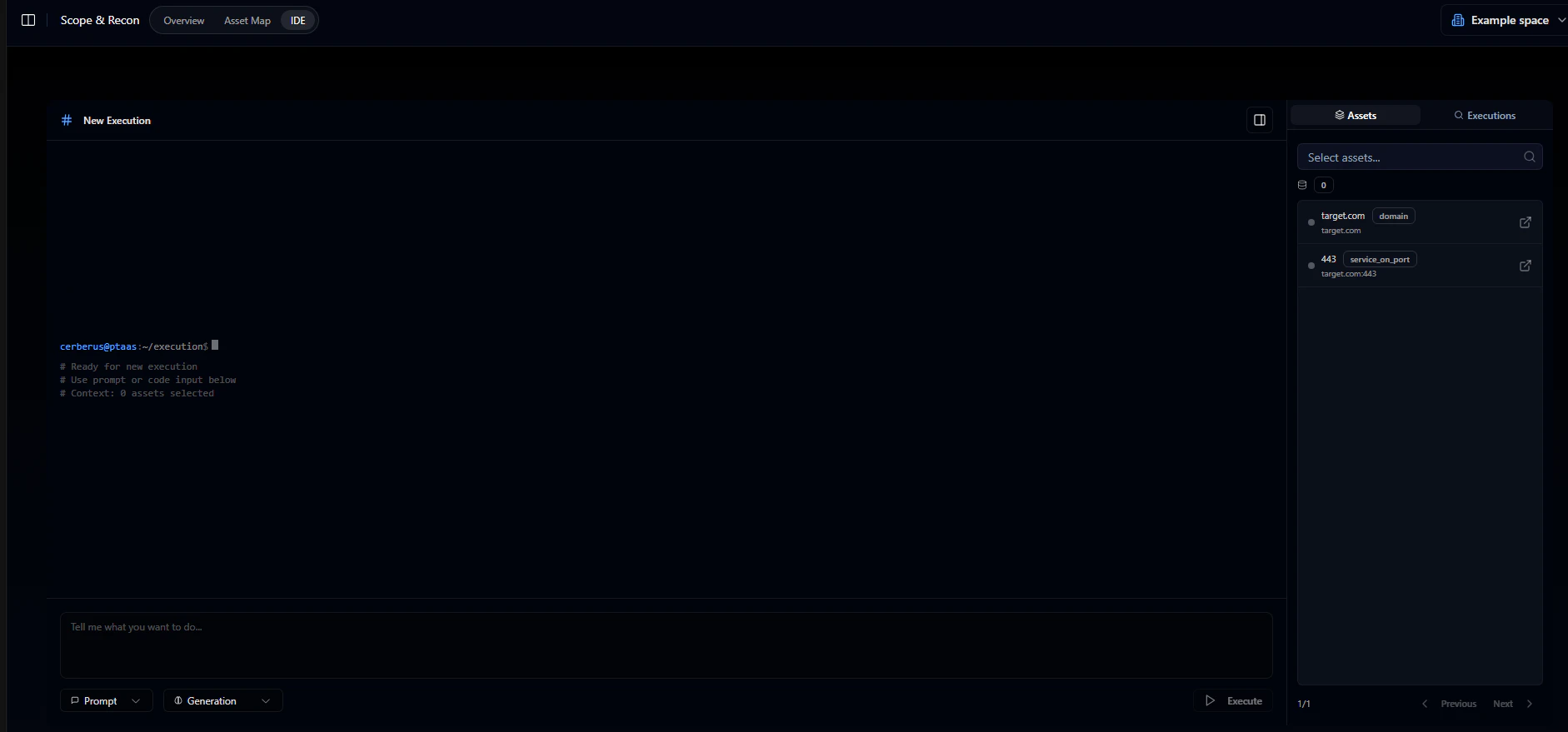
A visual environment for attack planning and execution. Your target environment is displayed as an interactive graph where domains, IPs, services, and personnel appear as connected nodes. Instead of mentally piecing together how systems relate, you see it visually and explore the attack surface directly.
### IDE for Ethical Hackers
A visual environment for attack planning and execution. Your target environment is displayed as an interactive graph where domains, IPs, services, and personnel appear as connected nodes. Instead of mentally piecing together how systems relate, you see it visually and explore the attack surface directly.
 Network relationship graphs
Explore attack surface visually
Real-time collaboration
### AI-Driven Automation (AutoPT)
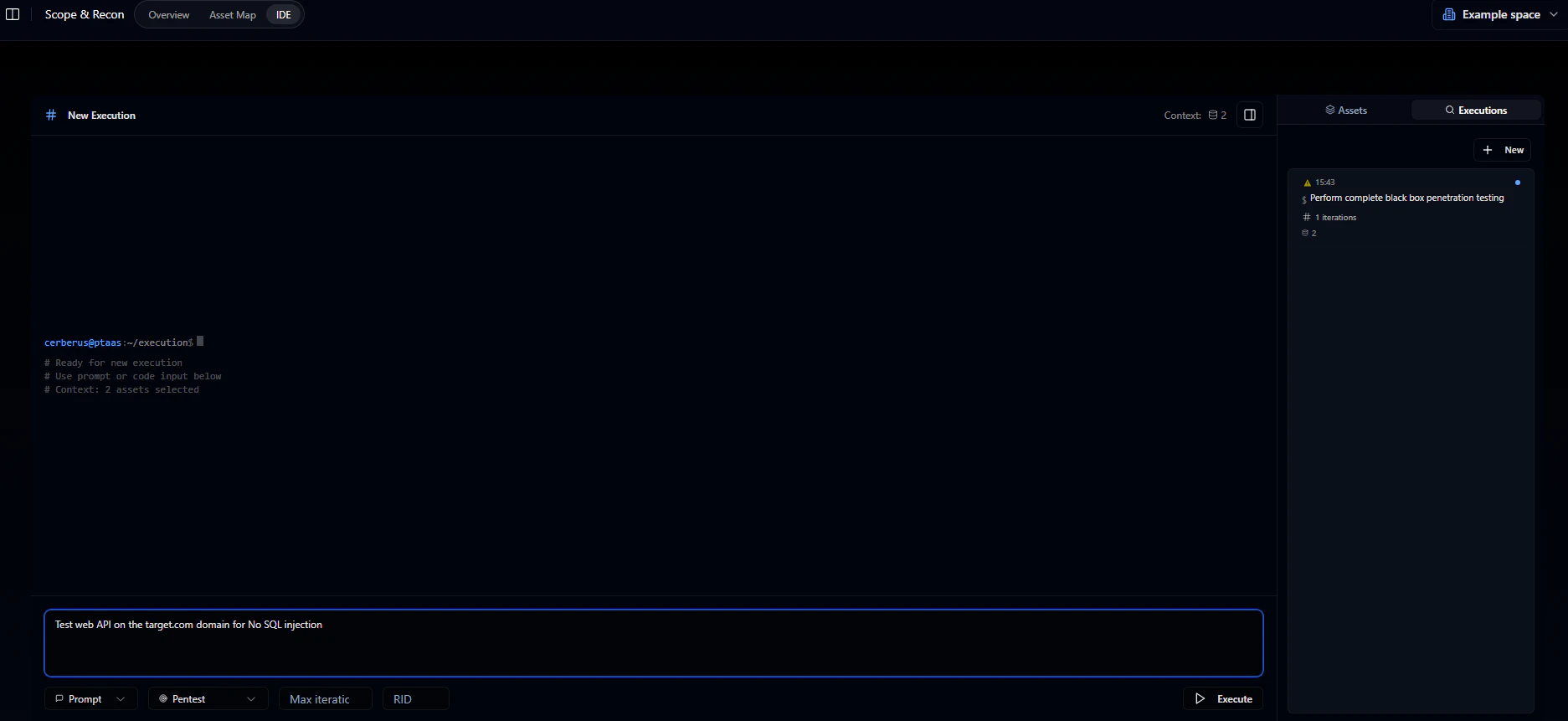
An AI system that writes and executes Cerberus code based on natural language prompts. Describe what you want - something like "test all subdomains for SQL injection" - and it generates the code, runs the tests, observes results, adapts to defenses, and produces proof-of-concept evidence. It can run for hours or days without manual intervention.
Network relationship graphs
Explore attack surface visually
Real-time collaboration
### AI-Driven Automation (AutoPT)
An AI system that writes and executes Cerberus code based on natural language prompts. Describe what you want - something like "test all subdomains for SQL injection" - and it generates the code, runs the tests, observes results, adapts to defenses, and produces proof-of-concept evidence. It can run for hours or days without manual intervention.
 ## Platform Capabilities
AI-driven tests that run continuously, adapting to defenses
Track findings with severity scoring, remediation status, and attack vector mapping
Map infrastructure including domains, IPs, services, tech stacks, and personnel
Record when attacks get blocked - useful for understanding what protections are working
Static and dynamic application security testing
External attack surface management
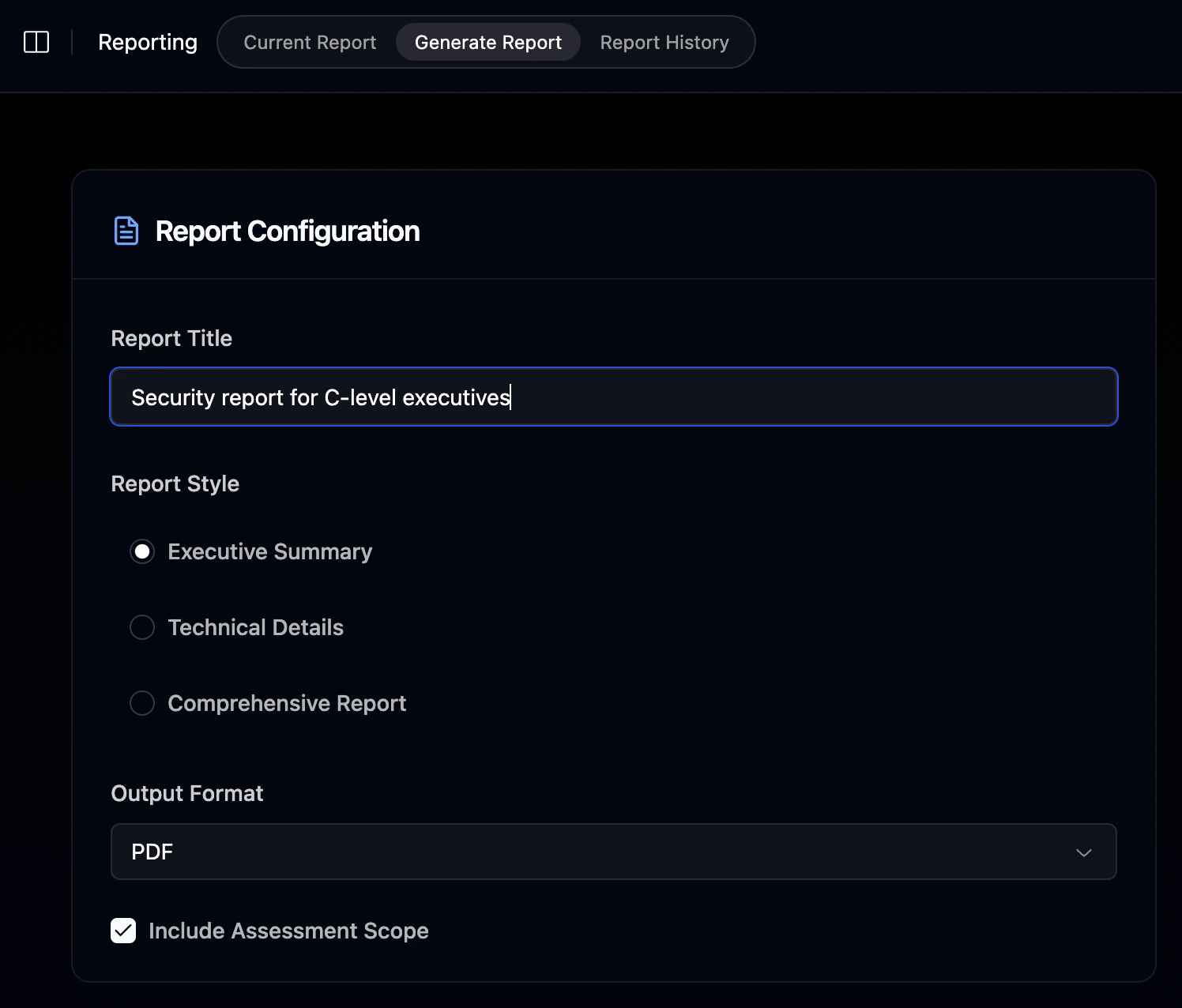
Generate assessment reports with findings and remediation recommendations
## How Teams Use It
A typical engagement follows this flow:
Add target domains, IPs, and services to the platform
Map out subdomains, open ports, running services, tech stacks, and protection mechanisms
Write Cerberus code manually, use AI to generate tests, or combine both approaches
Vulnerabilities flow into the tracker where they're scored, categorized, and linked to affected assets
Pull everything together - findings, severity ratings, remediation recommendations, and scope documentation
## The Workspace
The platform is organized around these sections:
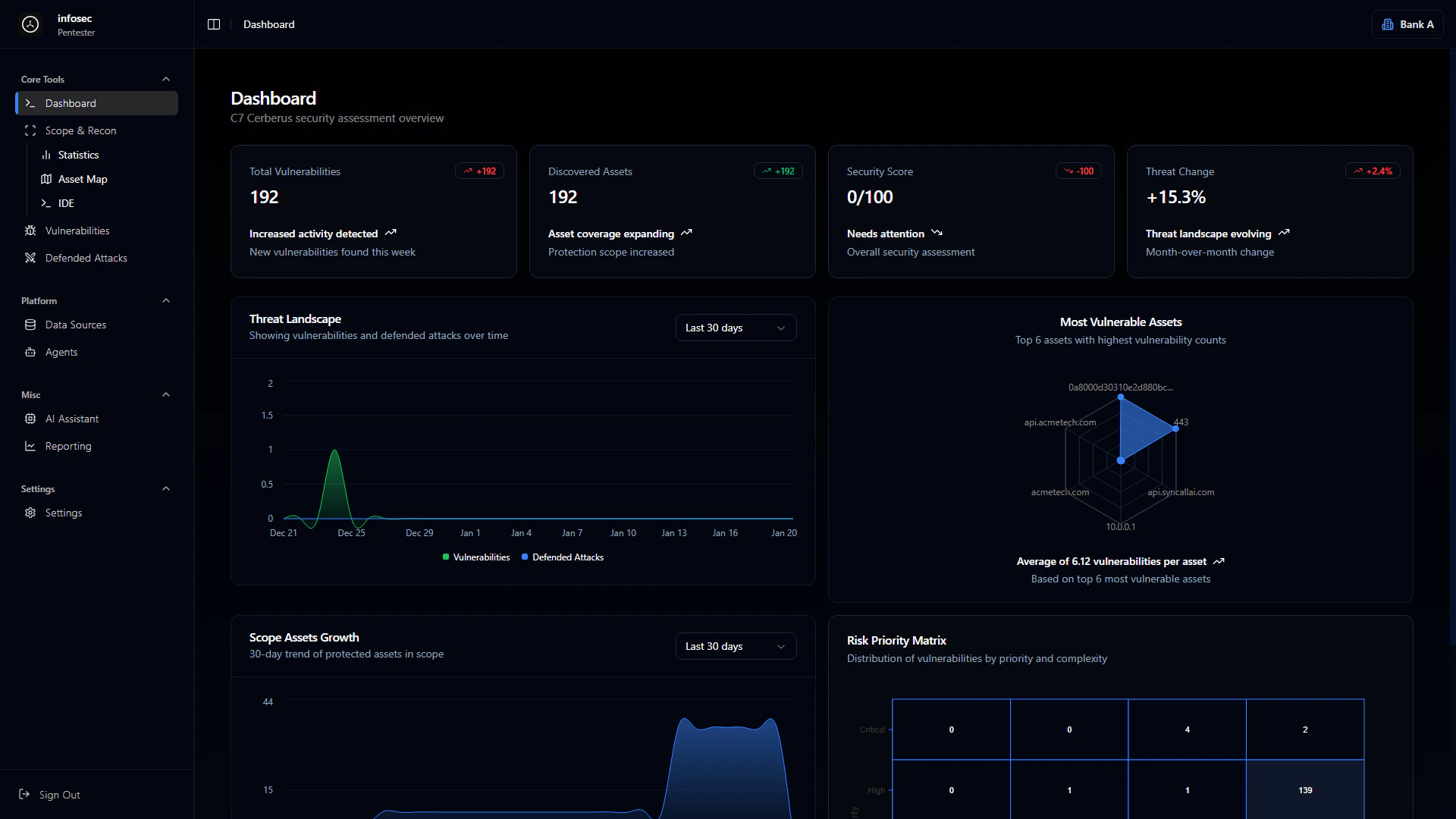
High-level view of engagement status
## Platform Capabilities
AI-driven tests that run continuously, adapting to defenses
Track findings with severity scoring, remediation status, and attack vector mapping
Map infrastructure including domains, IPs, services, tech stacks, and personnel
Record when attacks get blocked - useful for understanding what protections are working
Static and dynamic application security testing
External attack surface management
Generate assessment reports with findings and remediation recommendations
## How Teams Use It
A typical engagement follows this flow:
Add target domains, IPs, and services to the platform
Map out subdomains, open ports, running services, tech stacks, and protection mechanisms
Write Cerberus code manually, use AI to generate tests, or combine both approaches
Vulnerabilities flow into the tracker where they're scored, categorized, and linked to affected assets
Pull everything together - findings, severity ratings, remediation recommendations, and scope documentation
## The Workspace
The platform is organized around these sections:
High-level view of engagement status
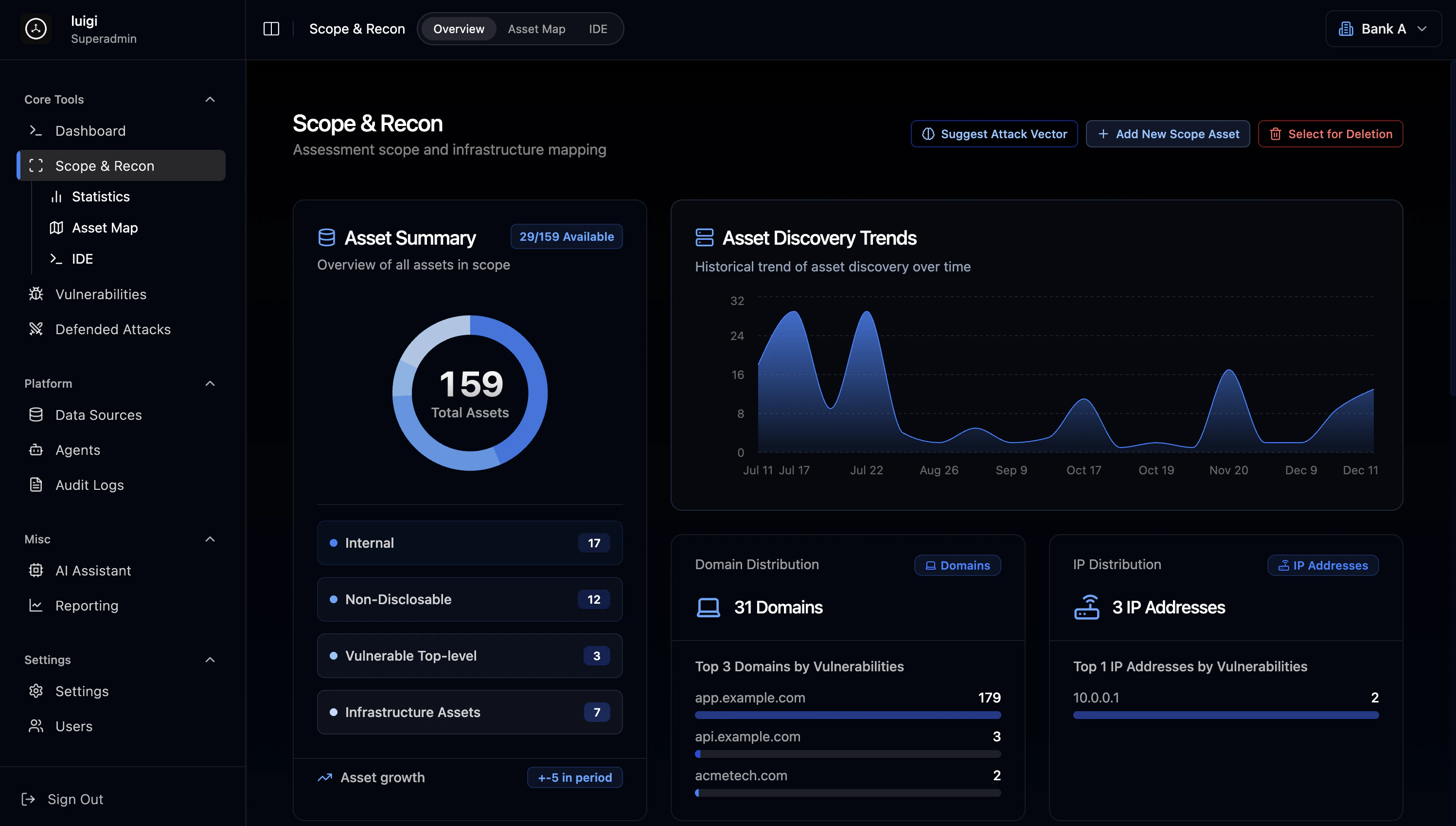
 Manage targets and explore the asset map
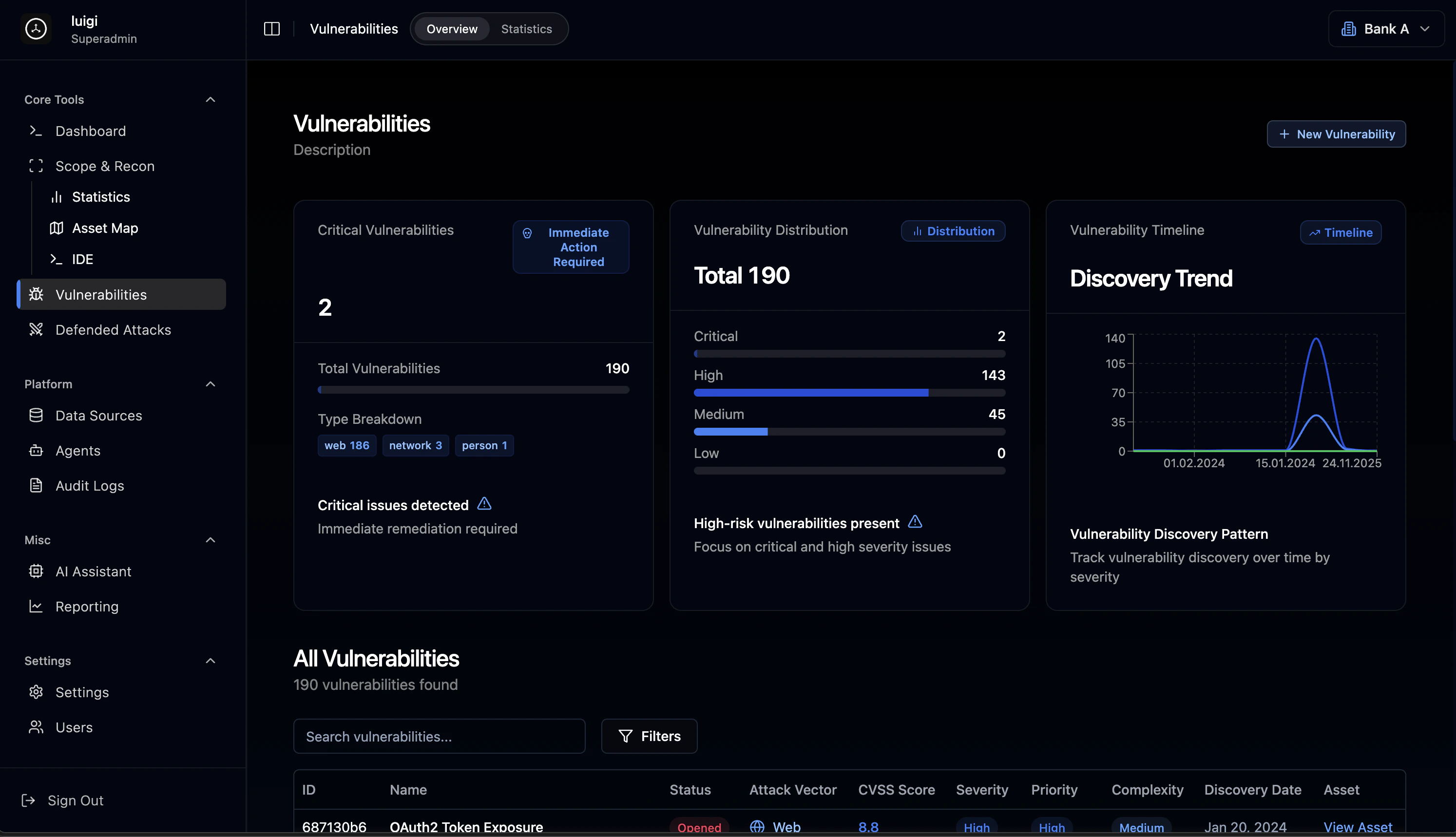
 All findings with filtering and search
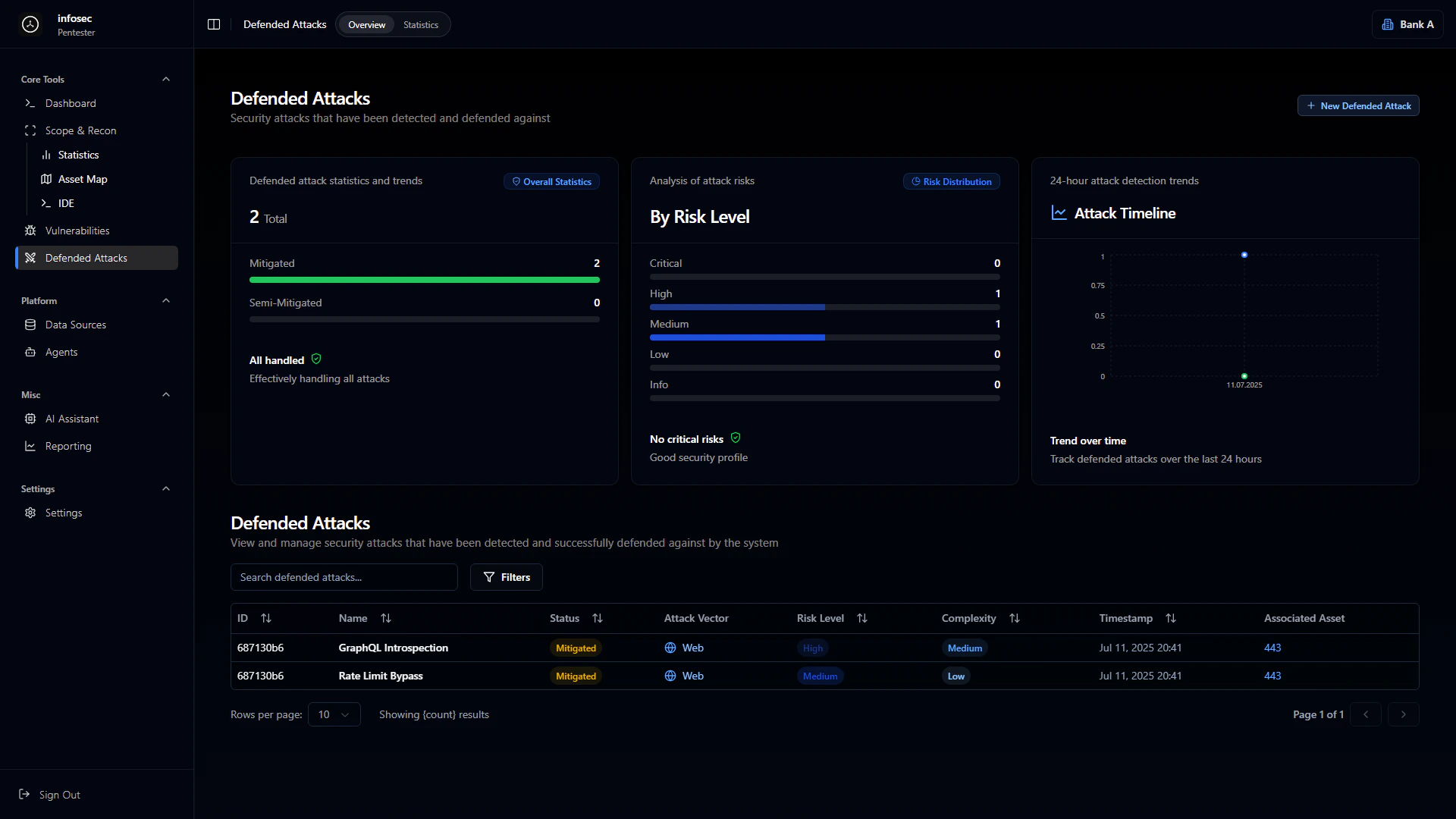
 What got blocked and by what protection
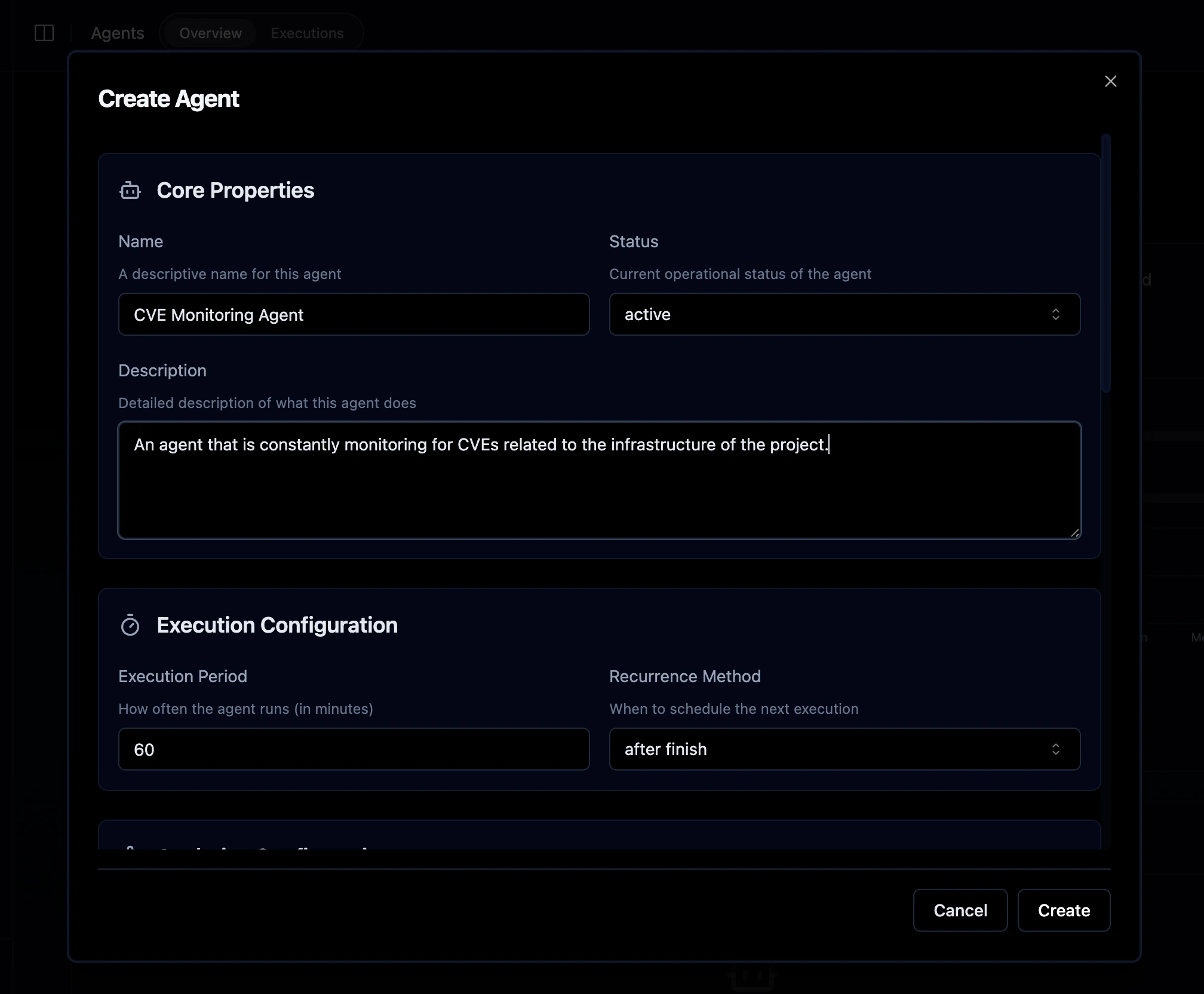
 Schedule automated tests on a recurring basis
 Document generation
 Everything stays connected - click a vulnerability to see which asset it affects, click an asset to see its relationships, click a defended attack to understand what protection stopped it.